
Theme
Posting to social media
Export once per format you need, then upload the MP4 like any video.
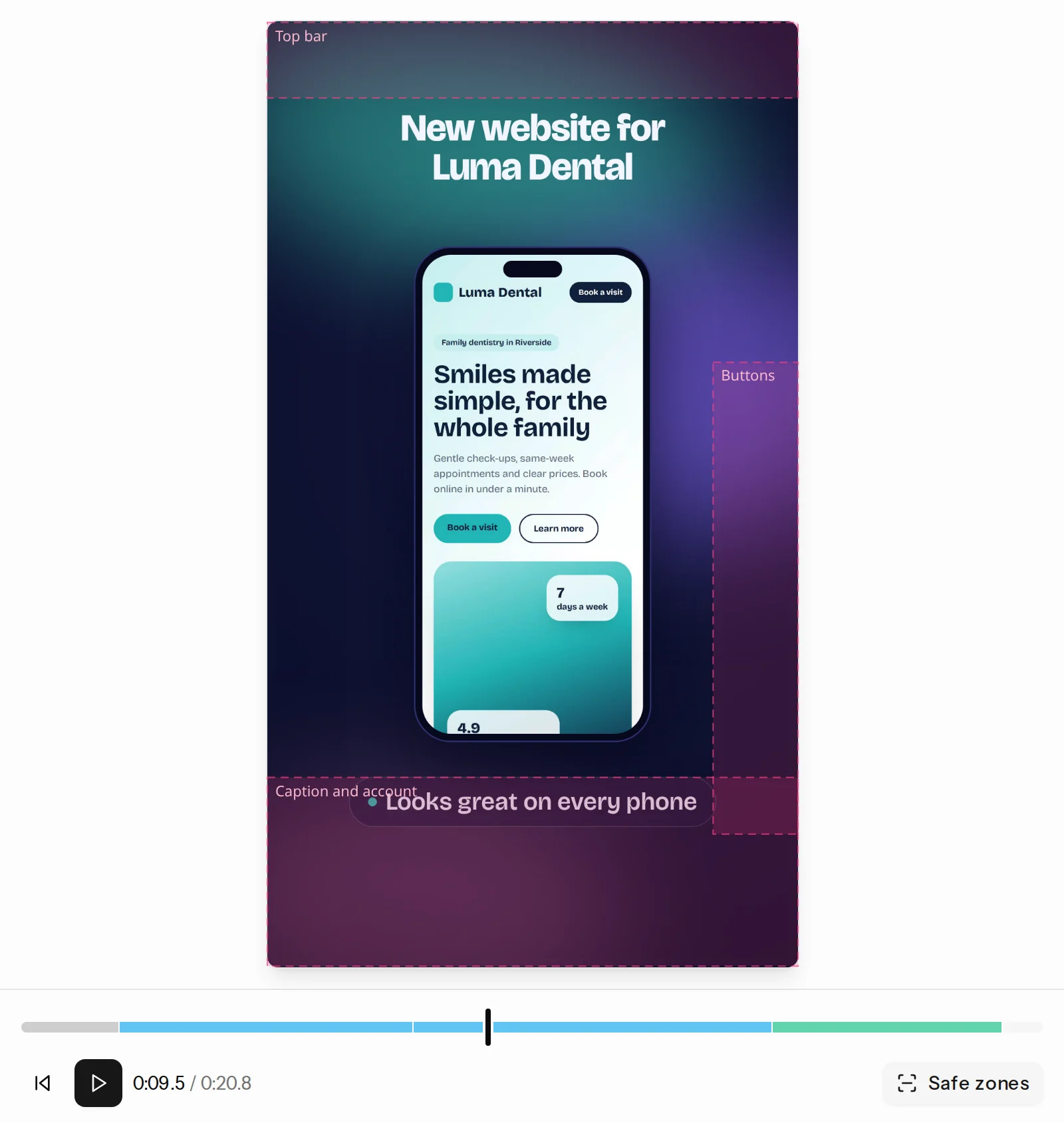
TikTok
- Export in Vertical 9:16 at 1080p and 30 fps.
- Turn on Safe zones before exporting, and keep text out of the shaded areas: TikTok's buttons and caption cover them.
- Upload from the TikTok app or tiktok.com, add a caption and post.
Instagram
- For Reels, export Vertical 9:16. For the feed, Portrait 4:5 fills the most space.
- Keep the first second strong: the headline is what people see while scrolling.
- Choose a cover frame showing the morph or the finished site.
YouTube
- For Shorts, export Vertical 9:16 and keep it under a minute.
- For a normal video, export Landscape 16:9.
LinkedIn
- Portrait 4:5 or Square 1:1 take up the most room in the feed. Landscape 16:9 suits longer walkthroughs.
- Say who the site was for and what you did in the post text.
Tips
- Add the client's handle or website to the call to action scene.
- Post the same reel in several formats: switching takes a click. See Formats.