Theme
Templates
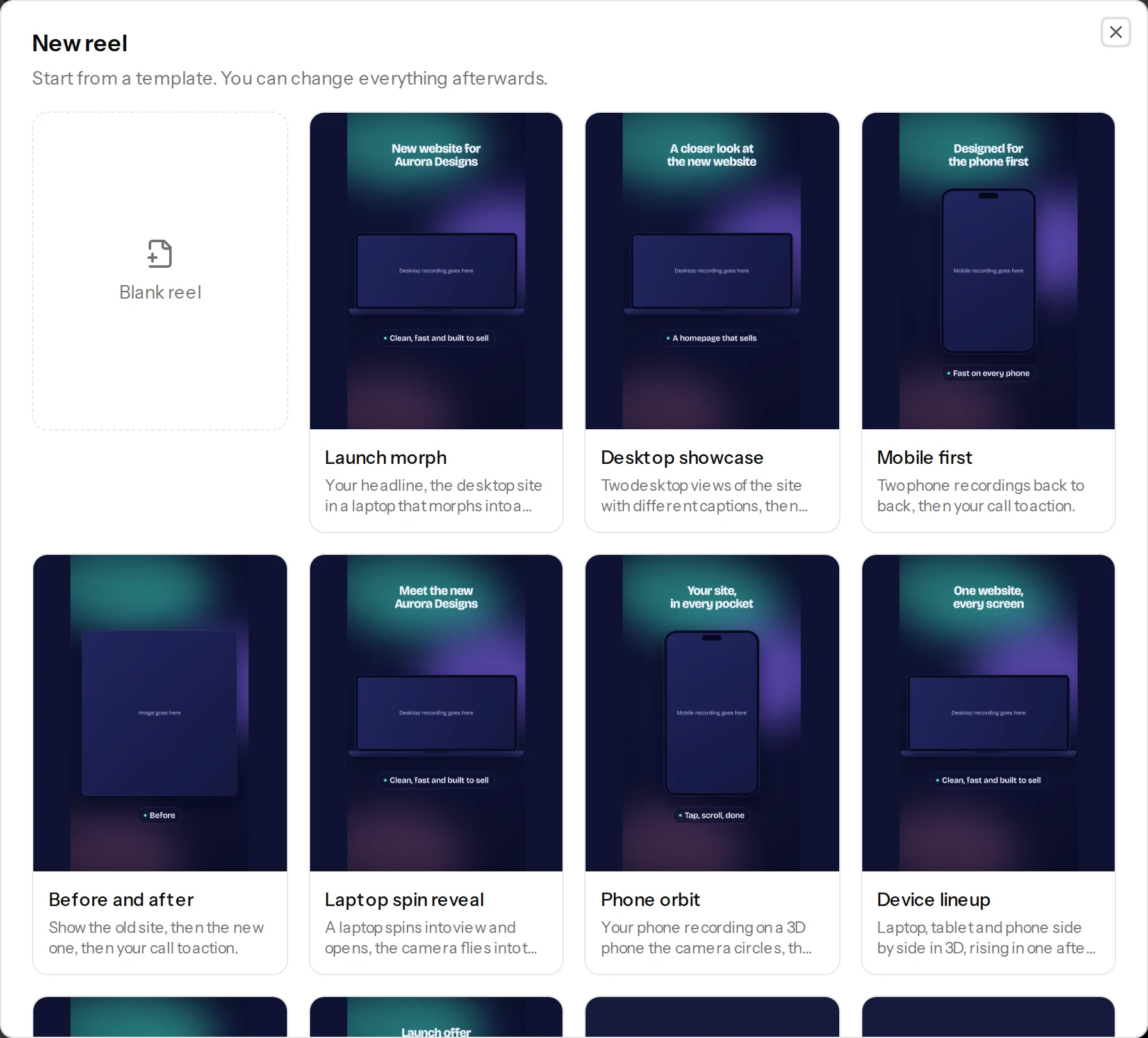
Every reel starts from a template: a ready-made set of scenes, timing and look that you can change completely.
Steps
- On Your reels, click New reel.
- Pick a template, or Blank reel to start from nothing.
- The reel opens in the editor with your default brand kit applied. Add your recordings and change anything you like.
The templates
| Template | What it does | Plan |
|---|---|---|
| Launch morph | Your headline, the desktop site in a laptop that morphs into a phone, then your call to action. | All plans |
| Desktop showcase | Two desktop views of the site with different captions, then your call to action. | All plans |
| Mobile first | Two phone recordings back to back, then your call to action. | All plans |
| Before and after | The old site, then the new one, then your call to action. | All plans |
| Laptop spin reveal | A laptop spins into view and opens, the camera flies into the screen, and the reel carries on with your recording. | All plans |
| Phone orbit | Your phone recording on a 3D phone the camera circles, then a flat close-up. | All plans |
| Device lineup | Laptop, tablet and phone side by side in 3D, rising in one after another. | All plans |
| Logo drop in | Your logo drops in as a solid 3D shape with your business name, before the website. | All plans |
| Launch offer | A New badge and a price tag on the laptop, then Link in bio on the phone. | All plans |
| Client love | A star rating and a checklist of what clients get, with your handle at the bottom. | All plans |
| Feature spotlight | Four key features fly in beside the laptop, a morph to phone, then your call to action. | All plans |
| Launch morph with features | Launch morph, with a short feature list on the phone scene. | All plans |
| Dashboard zoom tour | Zooms into three parts of your app with labelled pins and a big number. | Pro and up |
Free accounts can preview Pro templates in the picker, and start from the free ones.
Your own templates
In the editor, open the ... menu at the top right and choose Save as template. It keeps the scenes, text, timing and look, and leaves out recordings, images and the logo. Your templates appear under Your templates in the picker.
Tips
- Templates show your brand colours once you have a default brand kit. See Brand kits.
- Some templates use features from Pro, like pins and zooms. On Free you can still edit them, and remove those parts to export.